


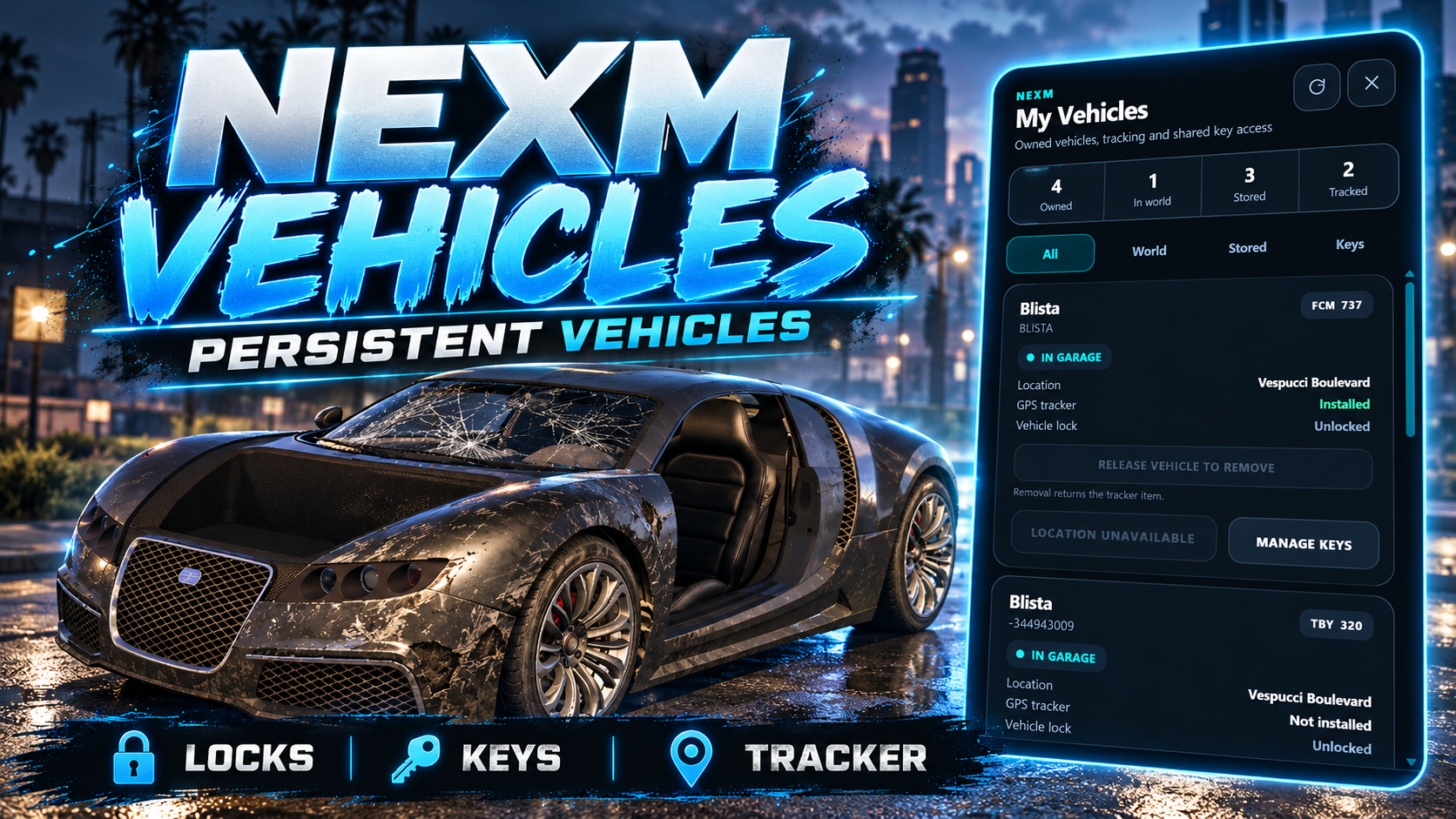
Overview
v1.0.1NEXM Vehicles is a server-authoritative persistent vehicle lifecycle system for FiveM. It keeps vehicle identity, lifecycle, streaming, persistence, locking, shared access and owner GPS tracking under one authoritative vehicle record while remaining framework-agnostic through NEXM Core.
Persistent vehicle record != GTA entity. GTA entities may stream in/out and be recreated while retaining the same immutable vehicle UUID.
Requirements
>=1.0.0-rc.1.hotfix.11.Installation
Place the delivered folder in your server resources directory with the exact resource name nexm_vehicles. Do not rename it.
ensure nexm_core
ensure nexm_vehicles
When LB Phone support is enabled, start it first:
ensure lb-phone
ensure nexm_core
ensure nexm_vehicles
Database migrations
The release ships frozen migrations 000_foundation through 004_vehicle_shared_keys. They register through NEXM Core. Do not edit an already-applied migration.
Tracker item
The V1 tracker item is vehicle_tracker. Use the matching example under install/ for ox_inventory, Qbox + ox_inventory, QBCore/qb-inventory or ESX, and copy the supplied vehicle_tracker.png into the correct inventory image directory.
The usable-item behavior is registered by nexm_vehicles through NEXM Core. Do not add a second framework-specific usable-item handler.
Configuration
Public customer configuration lives in config.lua.
Config.SpawningServer-side creation mode and optional model-type overrides.Config.StreamingSpawn/despawn radius, scan interval and spatial cell size.Config.PersistenceCapture/flush cadence and dirty-state persistence behavior.Config.FuelSystemauto, native, ox_fuel, custom or none.Config.LockingBuilt-in lock control, U keybind, distance, feedback and key-fob animation.Config.SharedKeysGive/revoke commands, proximity policy and rate limits.Config.Tracker.GameplayTracker item, range, durations, animation and item return behavior.Config.GarageIntegrationOwner auto-exit and server settle timing for authoritative store flow.Config.VehicleUIStandalone /vehicles interface and optional keybind.Config.PhoneOptional bundled LB Phone app registration.Identity & Lifecycle
vehicle_uuid is immutable and authoritative. Plates are display/compatibility data and should not be used as the primary persistent identity.
| Lifecycle | Meaning |
|---|---|
WORLD | Persistent vehicle exists in the world lifecycle and may be streamed in/out. |
GARAGED | Stored in a garage context. |
IMPOUNDED | Held in impound context. |
SEIZED | Held in seizure context. |
DESTROYED | Vehicle marked destroyed by authoritative damage policy. |
DELETED | Vehicle removed from the active lifecycle. |
Legacy plate helpers exist for older integrations, but new integrations should persist the returned vehicle UUID.
Persistence & Streaming
Persistent WORLD vehicles use server-side spawning, proximity-based spatial streaming, duplicate protection and restart recovery. The authoritative record persists transform, properties, fuel and the V1 damage baseline.
The stable V1 recovery lineage keeps confirmed periodic health checks read-only for already-authoritative live vehicles, preventing stored rotation/heading from being reapplied while driving.
SQL is persistence, not a realtime world lookup. Runtime state is cache-first and dirty/versioned, with writes coalesced by the configured flush cadence.
My Vehicles UI
The standalone player interface opens with:
/vehiclesThe interface shows owned vehicles and valid SHARED-key vehicles with filters for world/stored/key access. Owner cards expose key management and tracker actions. SHARED-key cards intentionally hide owner-only GPS and key-management actions.
The same frontend is reused by the optional LB Phone integration.
Locking
NEXM is the persistent lock-state authority. By default, U toggles the nearest accessible NEXM vehicle lock after server-side access and distance validation.
Config.Locking.Enabled = true
Config.Locking.DefaultControlEnabled = true
Config.Locking.Keybind = 'U'
1.0.1 key-fob animation
After a successful authoritative lock/unlock action, the built-in control can play the cosmetic key-fob animation anim@mp_player_intmenu@key_fob@ / fob_click. The animation never grants access or changes persistent state by itself.
Disable only the built-in control when needed and call NEXM locking APIs. Do not maintain a second persistent lock state for the same vehicle.
Shared Keys
SHARED keys grant vehicle access without transferring ownership. The canonical owner remains unchanged.
/givekeys [playerId]
/revokekeys [playerId]
The owner, target player and vehicle must satisfy configured proximity checks when giving access. Existing grants can also be revoked from the My Vehicles UI, including persisted holders who are currently offline.
A SHARED holder may access and lock/unlock the vehicle, but cannot sell/delete it, transfer ownership, manage the owner's tracker, or view the owner's tracker location.
Owner Tracker
V1 deliberately supports trackers on owned vehicles only. Covert tracking of another player's vehicle is outside V1 scope.
vehicle_trackerConfigured inventory item used for owner install gameplay.InstallOwner must be physically beside the live WORLD vehicle; item is consumed only after authoritative commit succeeds.RemoveOwner-only. Returns the tracker item by default.LocateWORLD returns live/last-known location; stored/impounded/seized states return context instead of raw waypoint coordinates.SHARED key holders cannot install, remove or locate through the owner's GPS tracker.
Garage Integration
Garage resources request lifecycle transitions from NEXM. They should not independently delete/spawn a persistent NEXM vehicle first.
Store a live player vehicle
local result = exports['nexm_vehicles']:StorePlayerEntityVehicle(source, vehicleEntity, {
    garageId = garage.id,
    garageLabel = garage.label
})

if not result.success then return endNEXM needs the live entity for final authoritative capture. When the canonical owner is the only occupant, NEXM can ask them to exit safely before capture/despawn. Another occupant causes VEHICLE_OCCUPIED instead of silently deleting a passenger.
Release from garage
local result = exports['nexm_vehicles']:ReleasePlayerVehicle(source, vehicleUuid, {
    coords = { x = spawn.x, y = spawn.y, z = spawn.z },
    heading = spawn.w,
    routingBucket = GetPlayerRoutingBucket(source),
    context = { garageId = garage.id, garageLabel = garage.label }
})Dealership Integration
Dealerships should pass the FiveM source; NEXM resolves the canonical NEXM character owner server-side.
local created = exports['nexm_vehicles']:CreatePlayerVehicle(source, {
    model = vehicleModel,
    plate = generatedPlate,
    lifecycleState = 'GARAGED',
    properties = vehicleProperties,
    fuel = 100.0,
    garageData = { garageId = 'legion', garageLabel = 'Legion Square Garage' }
})

local vehicleUuid = created.success and created.data.vehicleUuid
Ownership transfer uses TransferVehicleToPlayer(vehicleUuid, buyerSource). Selling/deleting an owned vehicle uses DeletePlayerVehicle(source, vehicleUuid, reason).
Phone Integration
LB Phone support is bundled directly into nexm_vehicles and is disabled by default. No second NEXM phone resource is required.
Config.Phone.Enabled = true
Config.Phone.Provider = 'lb-phone'
Config.Phone.Resource = 'lb-phone'
Other phone systems can build their own app using the stable server API: GetPlayerVehicles, GetPlayerVehicle and LocatePlayerVehicle. The phone owns presentation; NEXM remains vehicle/location authority.
Public API
GetIntegrationContract()Discover the public integration contract.CreatePlayerVehicle()Create an authoritative player-owned vehicle record.StorePlayerEntityVehicle()Recommended live-entity garage store flow.ReleasePlayerVehicle()Authoritative GARAGED → WORLD release/spawn.GetPlayerVehicles()Owned + validated shared-key vehicle list.LocatePlayerVehicle()Owner-authorized tracker location/context.TogglePlayerVehicleLock()Access-checked authoritative lock toggle.GiveVehicleKey()Grant SHARED access by immutable UUID.RevokeVehicleKey()Revoke SHARED access.InstallTracker()Trusted server integration tracker installation.Plate-based helpers exist only for compatibility with legacy resources. Prefer UUID APIs for new integrations.
Asset Escrow
NEXM Vehicles 1.0.1 is prepared for the official Cfx Asset Escrow pipeline.
server/*.lua, client/*.lua, shared/*.lua and migrations/*.lua.config.lua, integrations/*.lua and install/*.lua.web/index.html, web/styles.css, web/app.js and web/icon.svg.Troubleshooting
>=1.0.0-rc.1.hotfix.11 and start it before Vehicles.DeleteEntity; persist vehicleUuid whenever possible.Config.Phone and ensure lb-phone starts before nexm_vehicles.Need help with NEXM Vehicles?
Use the NEXM support page for installation, inventory setup and integration questions.
Open Support